
Download Focus Matrix – Task Manager, Priority Planner, Productivity Tool
Overview – What Is Focus Matrix and Why It Matters
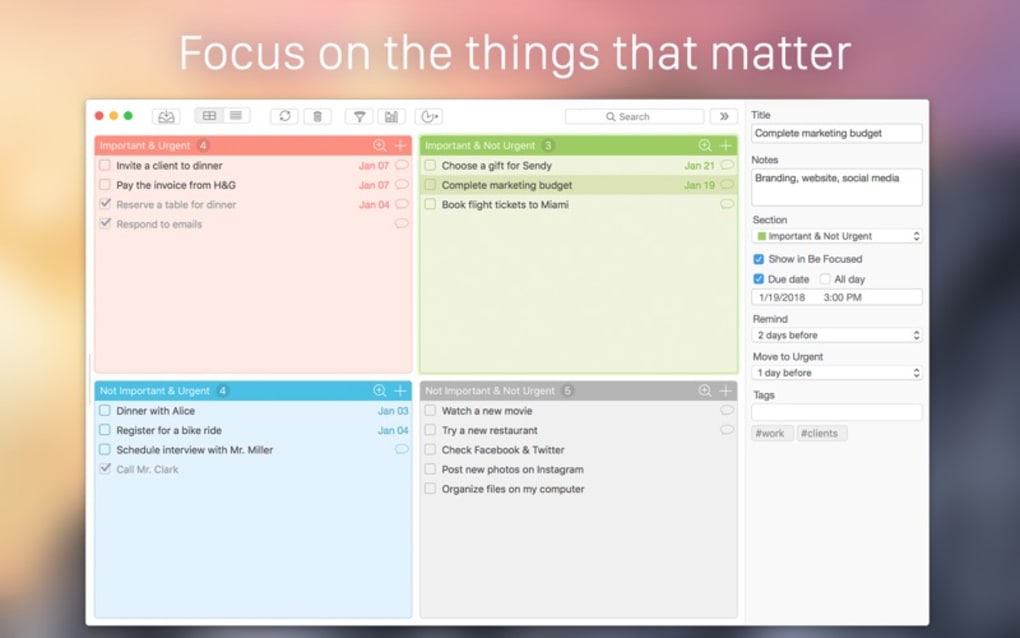
Focus Matrix is a modern task‑manager app that builds on the classic Eisenhower Box to help you separate what’s urgent from what’s important. By visualising tasks in a four‑quadrant matrix, the software lets you concentrate on the work that truly moves the needle while delegating, postponing, or discarding low‑value activities. The tool is designed for busy professionals, students, and anyone who feels overwhelmed by a long to‑do list.
Its clean, colour‑coded interface encourages quick decision‑making: tasks are grouped into “Do Now,” “Schedule,” “Delegate,” and “Eliminate.” In addition to the matrix view, Focus Matrix offers an “All‑Day Task” feature for long‑term planning, push‑notifications that act as deadline reminders, robust tagging and keyword search, configurable reports, statistical insights, and password protection for sensitive data. All of these functions are wrapped in a lightweight, cross‑platform package that runs on Windows, macOS, Android, and iOS, making it easy to stay organised whether you’re at the office, at home, or on the move. Because the app stores data locally (with optional cloud sync), you retain full control over your information, satisfying both privacy‑concerned users and teams that need a secure personal organiser.
Whether you’re juggling client projects, coursework, or household chores, Focus Matrix provides a structured yet flexible way to prioritize, act, and achieve more with less stress.
Core Features & Productivity Tools
- Four‑Quadrant Priority Matrix: Instantly classify tasks by urgency and importance.
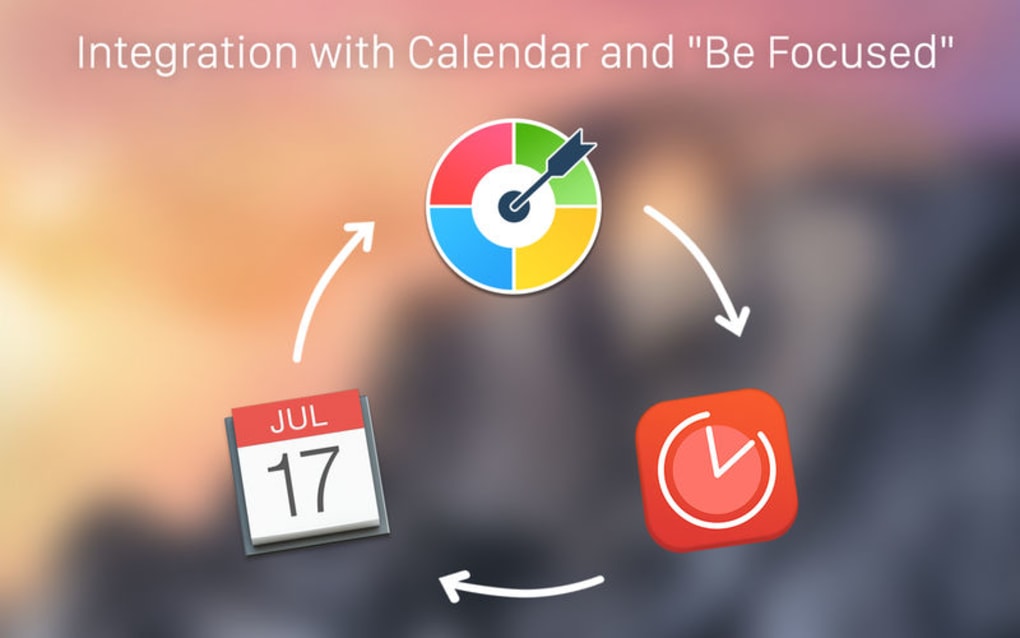
- All‑Day Tasks & Scheduling: Create long‑term items that span multiple days and view them in a calendar overlay.
- Smart Reminders: Customisable push notifications keep you on track with deadlines.
- Tagging & Search: Add colour‑coded tags and use keyword search to locate tasks in seconds.
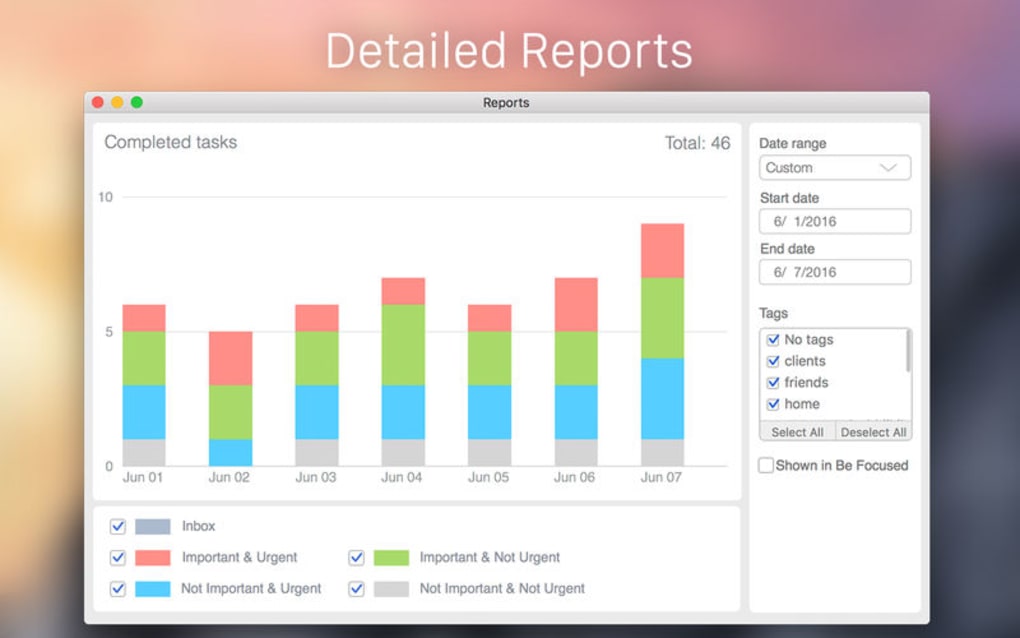
- Configurable Reports & Statistics: Generate weekly or monthly productivity reports that show completed vs. pending items.
- Password Protection: Secure your task database with a master password or biometric lock.
- Cross‑Device Sync: Optional cloud sync (via Google Drive or iCloud) ensures your matrix is up‑to‑date everywhere.
- Custom Themes: Choose light or dark mode, and adjust accent colours to match your workflow.
- Export Options: Export your matrix to CSV, PDF, or plain‑text for sharing with teammates.
The feature set is deliberately focused on what matters most for productivity. The matrix view eliminates the “list‑itis” syndrome – you no longer scroll through endless bullet points; instead, you see a visual snapshot of priority. The All‑Day Task feature is especially useful for projects that span weeks, because you can drag the task across days without creating duplicate entries.
Reminders are fully configurable: you can set a single alert, multiple alerts, or recurring alerts for recurring tasks. Tagging works like a miniature taxonomy system – colour‑coded tags help you filter tasks by project, context, or energy level. The built‑in reporting engine aggregates data from the matrix and presents it in easy‑to‑read charts, which is ideal for freelancers who need to bill clients based on time spent, or for managers who want to gauge team workload.
Security is taken seriously: the app encrypts the local database and offers biometric unlocking on supported devices, ensuring that confidential business tasks stay private. Finally, the export function means you’re never locked into the app – you can share your plan with stakeholders who prefer spreadsheets or printed PDFs.
Installation, Setup & Compatibility
Getting started with Focus Matrix is straightforward, regardless of your operating system. The download page provides separate installers for Windows (64‑bit), macOS (Catalina +), Android (API 21+), and iOS (12.0+). After clicking the appropriate “Download” button, the installer will verify the digital signature to guarantee a secure, tamper‑free package. On Windows, run the .exe file and follow the on‑screen wizard – the process takes less than two minutes. macOS users simply drag the app into the Applications folder. Mobile users receive a standard app‑store package; the Google Play Store and Apple App Store handle installation automatically.
Once installed, the first launch presents a brief onboarding tutorial that explains the four quadrants and invites you to create your first task. You can import existing to‑do lists from CSV or plain text, and the app will automatically suggest quadrant placement based on keywords like “urgent” or “deadline.” The initial configuration includes setting a master password (or enabling Face/Touch ID) and choosing your preferred theme. If you opt for cloud sync, you’ll be prompted to log into your Google or iCloud account; the sync process encrypts data before transmission, so only you can decrypt it.
Daily usage follows a simple workflow: add a task, drag it to the appropriate quadrant, set a due date or mark it as “All‑Day,” and assign tags. The interface supports keyboard shortcuts on desktop (e.g., Ctrl+N for new task, Ctrl+S to save) and swipe gestures on mobile (drag‑right to delegate, swipe‑left to delete). Because the application stores data locally, you can continue working offline; any changes made offline will sync automatically once you reconnect to the internet. Regular updates are pushed automatically through the respective app stores, ensuring you always have the latest security patches and feature enhancements.
Focus Matrix is compatible with Windows 10/11, macOS Catalina and later, Android 5.0+ (ARM and x86), and iOS 12+ (iPhone, iPad). System requirements are modest: at least 2 GB RAM, 150 MB of free disk space, and a modern web‑view component for rendering the UI. The app’s low resource footprint means it runs smoothly on older laptops and mid‑range smartphones, making it an ideal choice for users who need a powerful productivity tool without sacrificing performance.
Pros, Cons, FAQ & Final Verdict
Pros
- Intuitive visual matrix makes priority decisions instantaneous.
- All‑Day task planning bridges the gap between short‑term to‑dos and long‑term projects.
- Highly configurable reminders keep deadlines front‑and‑center.
- Robust tagging and search accelerate task retrieval.
- Secure password/biometric protection for sensitive information.
- Cross‑platform availability ensures seamless workflow across devices.
- Export options prevent vendor lock‑in.
- Lightweight design runs smoothly on modest hardware.
Cons
- Advanced reporting features require a paid upgrade.
- No built‑in collaborative task sharing (requires export or third‑party sync).
- Limited customization of quadrant labels beyond the default four.
- Desktop version lacks native Windows notifications (relies on system tray).
- Initial learning curve for users unfamiliar with the Eisenhower method.
Frequently Asked Questions
Can I use Focus Matrix without an internet connection?
Yes. All data is stored locally on your device, so you can add, edit, and complete tasks offline. Sync occurs automatically once you reconnect to the internet.
Is my data encrypted?
All local databases are encrypted with AES‑256. When you enable cloud sync, data is encrypted before transmission and stored encrypted on the cloud provider.
Can I import tasks from other to‑do apps?
Yes. Focus Matrix supports CSV and plain‑text import. During import you can map columns to task title, due date, priority, and tags.
Is there a free version?
A fully functional free tier is available for all platforms. Premium features such as advanced reporting and unlimited cloud sync are offered via a modest subscription.
How do I back up my tasks?
You can manually export your matrix to CSV, PDF, or plain‑text. If you enable cloud sync, the app automatically backs up the encrypted database to your chosen cloud service.
Conclusion – Is Focus Matrix Right for You?
Overall, Focus Matrix delivers a focused, visual approach to task management that stands out from conventional list‑based apps. Its strength lies in the clear separation of urgency and importance, which helps users eliminate “busy‑work” and devote energy to high‑impact activities. The combination of all‑day planning, smart reminders, and secure password protection makes it suitable for professionals handling confidential projects as well as students managing coursework. While the free version already offers a solid feature set, power users may find value in the premium reporting tools and unlimited cloud sync. If you’re looking for a secure, cross‑platform organizer that transforms a chaotic to‑do list into a strategic action plan, downloading Focus Matrix today is a logical next step.
Download Focus Matrix now and start prioritising what truly matters.







